On this forum, you can see that some people had installed Altair SLC 2024 and used their one-year free Community license.
To update there license, they had uninstalled Altair SLC 2024 and Altair Workbench 2024 before installing Altair SLC 2025 and Altair Workbench 2025.
They may have deleted files from the 2024 version. For example, they may have ensured to delete any setinit file:
- C:\Users\<…>\Local Settings\Application Data\Altair
- C:\Users\<…>\AppData\Local\Altair
- C:\ProgramData\Altair\SLC\5
The installation worked fine but they still had to active their license.
They may have tried this:
- Click Windows+R to open the command prompt.
- Use cmd in the entry field
- Use “C:\Program Files\Altair\SLC\2025\bin\wps” -personal
- Launch Altair Workbench
But then a message told them that no license was available.
Altair Workbench Interface
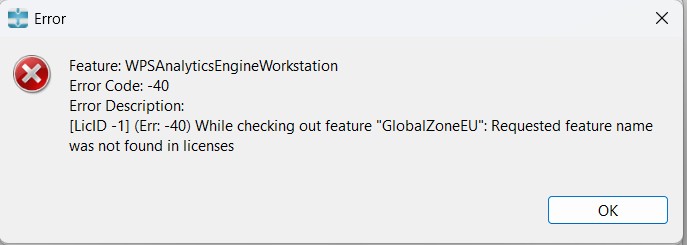
The message looks similar to this:
Error Code: -40
Error Description: [LicID -1] (Err: -40) While checking out feature “GlobalZoneEU”: Requested feature name was not found in licenses.
The Solution that Worked for Me
I find my old email with the link to the old account: myaccount.worldprogramming.com/my-account/license-requests
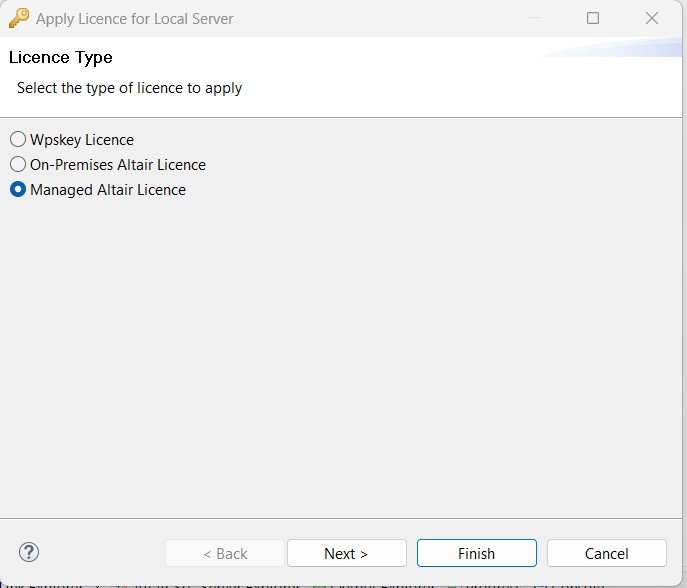
Once logged in, I could request an extension of the license and download the WPSKey file. I could then upload the key in Altair Workbench application.